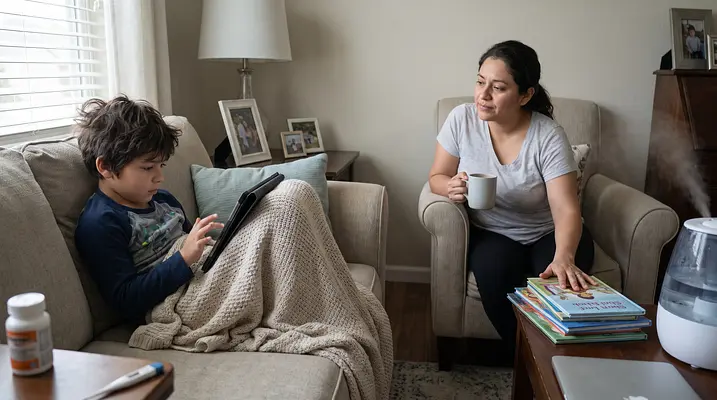
There is a unique kind of heaviness that settles over a house when a child gets sick. The busy hum of daily life slows to a crawl, replaced by the rustle of blankets, the quiet beep of a thermometer, and the unmistakable look of exhaustion in your little one’s eyes. As parents and caregivers, we do everything we can to comfort them, but often, an unwelcome guest arrives alongside the germs: guilt. We stand in the doorway, watching them zone out on cartoons or tablet games, and we worry that we are failing them by abandoning our usual screen time limits.
If you are feeling that weight right now, take a deep breath. It is completely normal to want to stick to a routine, but a sick day is not a normal day. When a child is fighting off a virus, their body needs rest above all else, and sometimes, a screen is the gentlest bridge to that rest. Letting go of the rules for a few days doesn’t make you a permissive parent; it makes you a responsive caregiver who is prioritizing comfort and recovery.
🧸 Redefining "Good" Parenting
We often hold ourselves to impossible standards, believing that a "good" parent maintains strict limits even when the going gets tough. However, rigid rules can sometimes cause more stress than good when a child is under the weather.
- Release the expectation that you need to maintain your usual structure during illness.
- View screen time as a tool for necessary distraction and rest, rather than a reward or a habit.
- Remind yourself that your primary goal right now is comfort, not developmental stimulation.
- Acknowledge that a calm, quiet child is often a child who is healing.
📺 Why Screens Can Be a Comfort
When a child feels miserable, the world can feel overwhelming. Screens offer a predictable, low-demand environment that requires very little physical or mental energy. This isn't about mindless consumption; it is about conservation.
- Choose familiar shows or movies that provide a sense of safety and predictability.
- Opt for slower-paced content that encourages relaxation rather than high-stimulation excitement.
- Use audio-only options like podcasts or audiobooks if you want to give their eyes a break.
- Consider screens as a "digital blanket" that keeps them still and resting when they want to be active.
🧸 Finding Balance Without the Battle
While it is perfectly fine to relax the rules, you can still maintain a sense of balance. The goal isn't to hand over the remote for twelve hours straight, but to use screens strategically so your child gets what they need.
- Offer a "screen break" every hour to encourage hydration and a change of scenery.
- Co-watch when possible to turn the experience into a bonding moment rather than an isolating one.
- Set a timer for breaks if you find it hard to track time in the fog of caregiving.
- Encourage quiet activities like coloring or reading in between episodes to vary the stimulation.
📝 Keeping Track of the Essentials
One of the biggest reasons parents feel guilty about screen time is the fear that they will lose track of other important needs—like medication, fluids, and sleep. When the TV is on, it is easy for time to blur, but a few simple organizational habits can help you stay on top of things without hovering.
- Write down the time and amount of every fluid intake to ensure they stay hydrated.
- Log every temperature reading and medication dose immediately to avoid dosing errors.
- Set alarms on your phone or use a tracking app to remind you when the next dose is due.
- Keep a notepad or app handy to note symptoms in case you need to describe them to a doctor later.
🩺 Preparing for the Pediatrician Visit
If you decide to call the pediatrician, having a clear record of what has happened over the last 24 hours is invaluable. Screens may have filled the time, but your observations are what matter most.
- Bring a log of temperatures and symptoms to help the doctor understand the illness progression.
- Note exactly when the last dose of medication was given so the doctor has accurate information.
- Describe your child’s behavior, such as lethargy or irritability, rather than just listing symptoms.
- Ask specific questions about warning signs to watch for during the night.
🫁 Caring for the Caregiver
Sick days are exhausting for the whole family. If screens keep your child safely occupied while you grab a shower, eat a meal, or simply close your eyes for ten minutes, that is a win. You cannot pour from an empty cup, and managing your own stress helps you provide better care.
- Accept that the house might be messy and the laundry might pile up for a day or two.
- Use the downtime to rest alongside your child if you can, rather than rushing to "be productive."
- Ask a partner or family member to take a shift so you can step away and recharge.
- Forgive yourself instantly for any perceived "parenting fails" during this time.
🔄 Easing Back into Routine
Eventually, the fever breaks and the energy returns. This is the time to gently guide everyone back toward normalcy. You don’t need to go cold turkey on screens, but you can start shifting the focus.
- Introduce non-screen activities like puzzles or reading once their energy levels improve.
- Move screens out of the bedroom to re-establish healthy sleep boundaries.
- Talk about how proud you are of them for resting and getting better.
- Return to your usual limits gradually rather than imposing a sudden ban.
There is no gold medal for parenting without screens during a sick week. The most important thing is that your child feels loved, safe, and comfortable while their body does the hard work of healing. By letting go of the guilt and using tools to stay organized, you are creating a peaceful environment where recovery can happen. Trust your instincts, lean on your support system, and remember that getting through the day is the only goal that truly matters.
Quick Action Plan
- Accept that screen time limits will be different for a few days and release the guilt.
- Choose calm, familiar content that helps your child rest and relax.
- Keep a simple log of fluids, symptoms, and medication doses to stay organized.
- Set reminders for hydration and medication checks so you don't lose track of time.
- Use the quiet time to rest yourself, knowing your child is comfortable.
Disclaimer: This content is for educational and informational purposes only and is not a substitute for professional medical advice, diagnosis, or treatment. Always consult your pediatrician or a qualified healthcare professional regarding any medical questions, symptoms, or treatment decisions. If you think your child may have a medical emergency, seek immediate care.
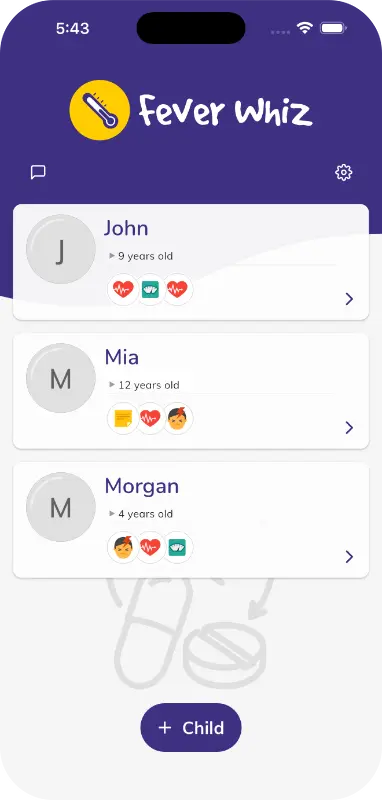
To make tracking easier during these chaotic days, consider using the Fever Whiz app. It helps parents and caregivers log medications, temperatures, and symptoms; set custom reminders; visualize trends with charts; and share a real-time care timeline with everyone caring for the child, ensuring nothing gets missed when the routine goes out the window.